Using Cloudflare Pages and Functions for email magic links
I recently migrated a site from Wordpress to Eleventy and I wanted to add a login page that would send magic link to an email address. I was able to accomplish this using Cloudflare Functions and Sendgrid.
The code here is for a hobby site and should be evaluated for security before using in production.
Overview
The flow looks like this.
- User enters email address and clicks “Send Magic Link” button.
- Cloudflare Function generates a magic link and sends it to the email address provided.
- User clicks the magic link and is redirected to the site with an opaque token in the URL.
- Cloudflare Function validates the token and sets a cookie with the user’s session id.
Requirements:
- Static page hosting - Cloudflare Pages
- Server execution - Cloudflare Functions
- Session storage - Cloudflare KV
- Email provider - I used Sendgrid
HTML Form
I created a simple HTML form that would POST to /auth/login with the email address.
<form action="/auth/login" method="post">
  <div class="mb-4">
    <label for="email"> Email </label>
    <input
      id="email"
      name="email"
      type="text"
      placeholder="Email"
      class="input"
    />
  </div>

  <div class="flex items-center justify-between">
    <button type="submit" class="button w-full">Sign In</button>
  </div>
</form>
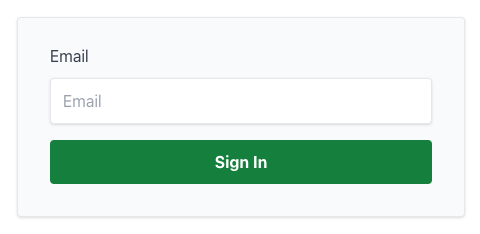
Email magic link form
Cloudflare Functions - Login
I created a Cloudflare Function that would generate a magic link and send it to the email address provided. The function is triggered by a POST request to /auth/login.
export const onRequestPost: Func = async (context) => {
  const email = (await context.request.formData()).get("email");

  if (!email) {
    return REDIRECT_LOGIN_RESPONSE;
  }

  const token = crypto.randomUUID();
  // persist opaque token that expires in 5 minutes
  await context.env.KV.put(token, email, { expirationTtl: 60 * 5 });

  const url = `${
    new URL(context.request.url).href
  }?${TOKEN_QUERY_PARAM}=${encodeURIComponent(token)}`;

  await fetch("https://api.sendgrid.com/v3/mail/send", {
    method: "POST",
    headers: {
      Authorization: `Bearer ${context.env.SENDGRID_API_KEY}`,
      "Content-Type": "application/json",
    },
    body: JSON.stringify({
      personalizations: [
        {
          to: [{ email }],
          dynamic_template_data: {
            loginLink: url,
          },
        },
      ],
      from: { email: context.env.EMAIL_FROM },
      reply_to: { email: context.env.EMAIL_REPLY_TO },
      template_id: "d-1368124dc6e34f879245d3f23cb36f55",
    }),
  });

  return new Response(null, {
    headers: {
      Location: "/auth/sent", // Redirect to a page that says "Check your email"
    },
    status: 302,
  });
};
This sends an email that looks like the following:

Email magic link email
When the user clicks the magic link, they are redirected to /auth/login with the opaque token in the query string. The function validates the token and sets a cookie with the user’s session id.
export const onRequestGet: Func = async (context) => {
  const token = new URL(context.request.url).searchParams.get(
    TOKEN_QUERY_PARAM,
  );

  let email: string;

  if (token && (email = await context.env.KV.get(token))) {
    await context.env.KV.delete(token);

    const sessionId = crypto.randomUUID();

    await context.env.KV.put(sessionId, email, {
      expirationTtl: EXPIRATION_TTL,
    });

    return new Response(null, {
      headers: {
        "Content-Type": "application/json;charset=utf-8",
        "set-cookie": `${COOKIE_NAME}=${sessionId}; Path=/; HttpOnly; Secure; max-age=${EXPIRATION_TTL}; SameSite=Strict`,
        Location: "/",
      },
      status: 302,
    });
  }

  return REDIRECT_LOGIN_RESPONSE;
};
Cloudflare Functions - UserInfo
I also created a Cloudflare Function that would return the user’s email address and possibly more data in the future. This is used by the client to determine if the user is logged in.
export const onRequestGet: Func = async (context) => {
  return new Response(JSON.stringify({ email: context.data.email }), {
    headers: {
      "Content-Type": "application/json;charset=utf-8",
    },
  });
};
Although this is a mostly static site, I am using AlpineJS.
import Alpine from "alpinejs";

window.Alpine = Alpine;

window.fetchUserInfo = async () => {
  return (await fetch("/auth/userinfo")).json().catch(() => ({}));
};

Alpine.start();
Here is the simplified HTML snippet for the navbar which switches on user state.
<div
  x-data="{ open: false, userInfo: {} }"
  x-init="userInfo = (await fetchUserInfo())"
>
  <a x-show="!userInfo?.email" href="/auth/" class="button">Login</a>
  <div x-show="userInfo?.email">...</div>
</div>
Cloudflare Pages - Middleware
I didn’t want all pages to be guarded by the login page, so I created a middleware function that would redirect to the login page if the user was not logged in. The following snippet guards all pages/functions under /app and /api.
Configuration and Constants
In the above code, I used some shared configuration and constants. Here is the code for those.
import { PluginData } from "@cloudflare/pages-plugin-sentry";

export interface Env {
  SENDGRID_API_KEY: string;
  SENTRY_DSN: string;
  EMAIL_REPLY_TO: string;
  EMAIL_FROM: string;
  KV: KVNamespace;
}

export const TOKEN_QUERY_PARAM = "token";
export const EXPIRATION_TTL = 86400;
export const COOKIE_NAME = "sessionId";

export const REDIRECT_LOGIN_RESPONSE = new Response(null, {
  status: 302,
  headers: {
    Location: "/auth",
  },
});

export type Data = {
  sessionId?: string;
  email?: string;
} & PluginData;

export type Func = PagesFunction<Env, any, Data>;
Metrics
Here are the metrics for this tiny site for Cloudlfare Functions and Sendgrid.
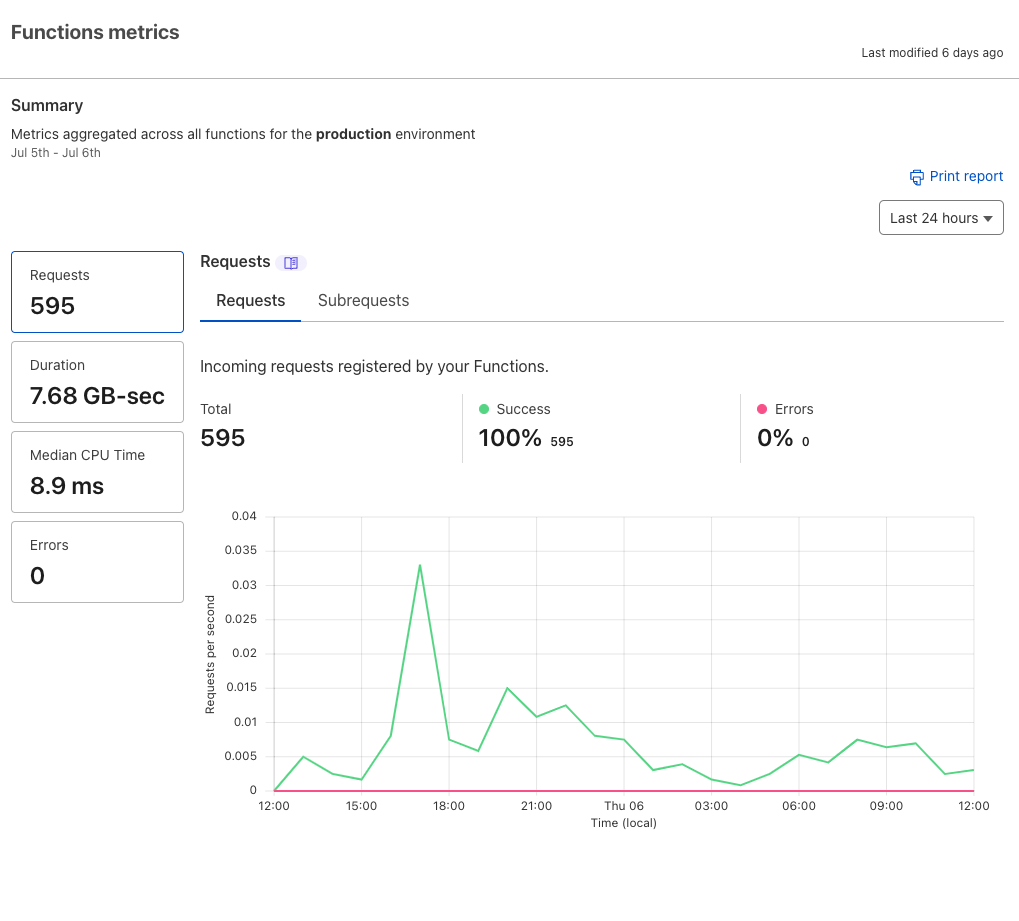
Cloudflare Function metrics
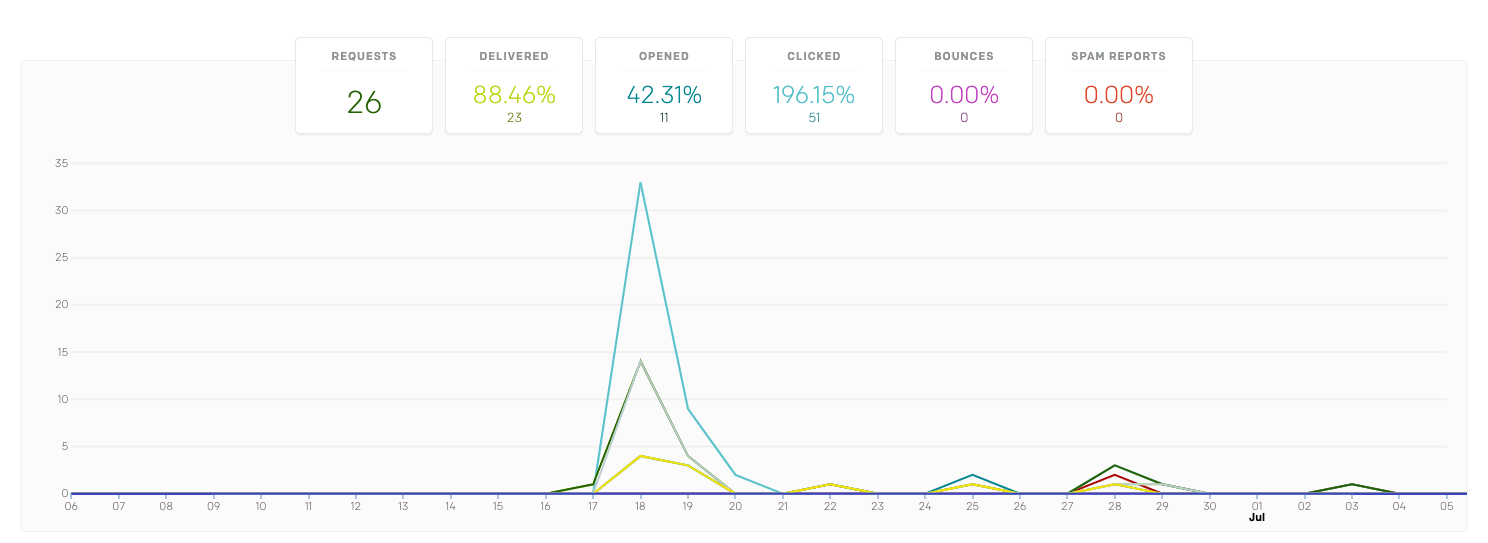
Sendgrid email metrics
And it’s all working! 🎉
Learnings
- I didn’t get around to figuring out how to test/debug functions locally. This slowed down dev cycles. Typescript was helpful in catching errors though.
- It took me a bit to find the right Cloudflare docs and kept running into worker specific information. I was looking for Cloudflare Functions docs.
- Cloudflare KV was super convenient to use. I didn’t have to worry about setting up a database or anything. I just used the API. The integration into the context was also nice.
- Sendgrid was easy to use. I just had to set up an API key and I was good to go. The dynamic templates were also nice to use.
Opinions are my own and not the views of my employer.
© 2023 by Justin Poehnelt is licensed under CC BY-SA 4.0