Google Forms - title vs name vs documentTitle
Recently I had to clarify some confusion around the title and name of a Google Form and some inconsistencies between Apps Script, Forms API, and the Forms UI. For some background, the following image shows the name and title of a Google Form.
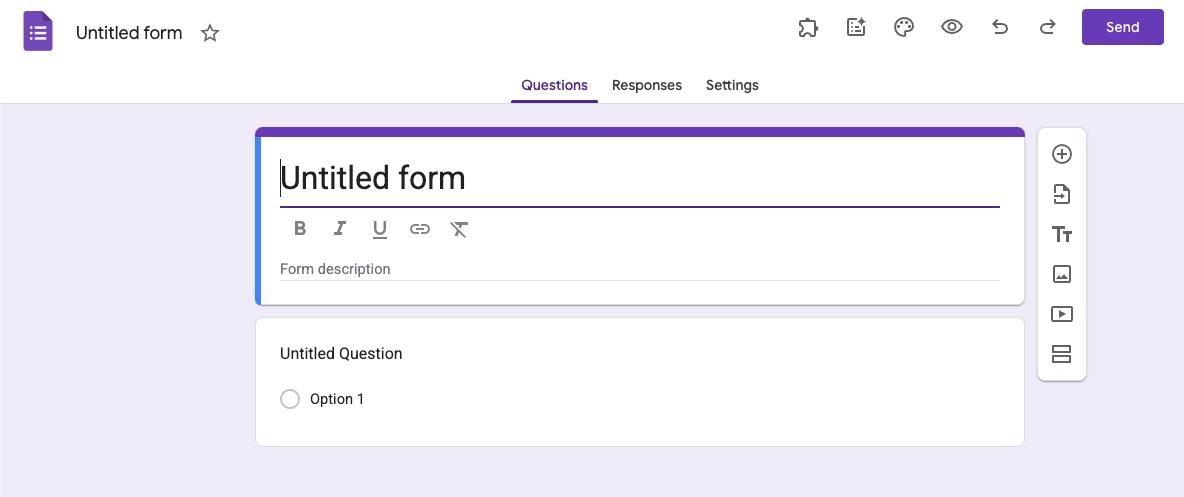
Google Forms name, title, documentTitle
The below table show the different ways the title and name are returned in the Forms UI, the Forms API, the FormApp, DriveApp, and the Drive API.
name UI | title UI | title Forms API | documentTitle Forms API | getTitle() FormApp | getName() DriveApp | name Drive API | |
|---|---|---|---|---|---|---|---|
| 1 | “Untitled form” | “Untitled form” | undefined | “Untitled form” | "" | “Untitled form” | “Untitled form” |
| 2 | “Name” | “Name” | undefined | “Name” | "" | “Name” | “Name” |
| 3 | “Name” | “Title” | “Title” | “Name” | “Title” | “Name” | “Name” |
| 4 | “Untitled form” | “Title” | “Title” | “Untitled form” | “Title” | “Untitled form” | “Untitled form” |
Case 1 - Default form
When you first create a form, the name is Untitled form and the title is unset but defaults to Untitled form in the UI. The Forms API does not have a title property and the documentTitle is Untitled form.
Case 2 - Name set, title unset
If you change the name of the form, the title in the application will render as the name. However, the name is still unset in the Forms API and the documentTitle is the name as shown in the UI.
Case 3 - Name and title set
If you set the name and title of the form, the title in the application will render as the title. The Forms API will have the title set to the title and the documentTitle set to the name.
Case 4 - Title set, name unset
If you set the title of the form and the name is still the default, the title in the application UI will render as the title. The Forms API will have the title set to the title and the documentTitle set to the default name.
Drive API and DriveApp
The Drive API and DriveApp have a name property that is always the same as the documentTitle.
Takeaways
- The UI
titlehas a fallback to thenameif thetitleis unset. - The Forms API
documentTitleis equivalent to the UInameand the Drive APIname. - The Forms API
titleis undefined if unset, but thegetTitle()method inFormAppwill return the empty string if unset! - To change the
namevia the API, you need to use the Drive API orDriveApp.
Example code
Here is an example of how to get the title of a form using the FormApp API:
function myFunction() {
  const title = FormApp.openById("10Fb...").getTitle();
  console.log(title); // if unset, it will be ""
}
Frequently Asked Questions
What is the difference between a Google Form's
nameandtitle?The
nameis really the file name in Drive (documentTitlein the Forms API). Thetitleis the visible heading on the form. If I don't set a specifictitle, the UI automatically uses thename.How do the Forms API,
FormApp, andDriveApprepresent thenameandtitle?In the Forms API,
documentTitleis the form'sname.FormApp.getTitle()gives me the form'stitle. BothDriveApp.getName()and the Drive API'snameproperty refer to the form'sname.What happens if a Google Form's
titleis not set?If I leave the
titleunset, the form UI just shows thenameinstead. The Forms API will show thetitleasundefined, andFormApp.getTitle()returns an empty string.How can I change the
nameof a Google Form programmatically?To change the form's
nameprogrammatically, I have to use the Google Drive API orDriveApp. The Forms API doesn't let me modify thename.
Opinions are my own and not the views of my employer.
© 2024 by Justin Poehnelt is licensed under CC BY-SA 4.0