UrlFetchApp: The Unofficial Documentation
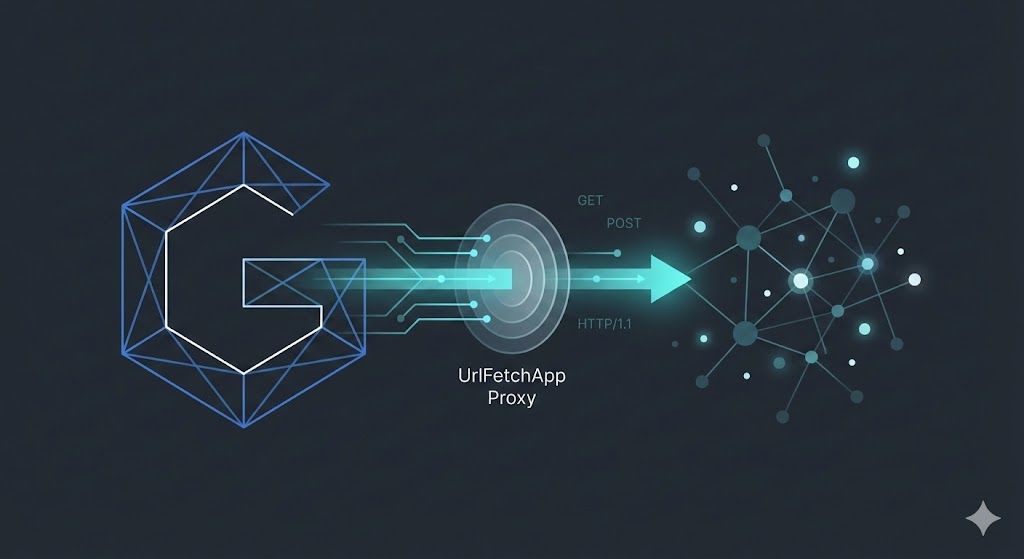
Google Apps Script UrlFetchApp Guide
Connecting internal data with the outside world is a fundamental requirement for most automation projects. In Google Apps Script, UrlFetchApp is the service that makes this happen. It serves as the bridge between Google’s infrastructure and the rest of the internet.
I often see developers treat UrlFetchApp as just a simple wrapper for curl or fetch, but that is a mistake. It is a specialized service with unique characteristics—specifically its synchronous execution, strict quotas, and dynamic IP origins.
In this guide, I want to dissect the UrlFetchApp service, moving from the basic configuration parameters to the advanced patterns I use for concurrency, session persistence, and resilience.
Quick Reference
For the busy developer, here are the hard limits you need to know (see Quotas):
| Limit | Value | Notes |
|---|---|---|
| Timeout | 60 seconds | Unconfigurable. Use Webhooks for longer jobs. |
| URL Length | 2 KB | standard limit. |
| Payload Size | 50 MB | For POST requests. |
| Quotas | 20k / 100k daily | Consumer vs Workspace accounts. |
| Response Size | 50 MB | Scripts will throw an exception if exceeded. |
Architectural Infrastructure
To effectively use UrlFetchApp, I first needed to understand where it actually runs. Unlike client-side JavaScript where requests originate from a user’s browser, UrlFetchApp requests run entirely server-side within Google’s data centers.
The Google Proxy
When I run a fetch operation, the request doesn’t come from my local machine. The runtime delegates the request to Google’s internal fetch service, meaning it originates from a dynamic pool of Google-owned IP addresses.
This creates a challenge for security. If I’m trying to allowlist an IP for a database, I can’t just allow “Google’s IPs” because that would open the firewall to traffic from any Google Cloud customer. I have to rely on higher-layer authentication like static headers or OAuth 2.0 rather than network-layer filtering.
Synchronous Execution
One of the most defining characteristics of Apps Script is that it is synchronous. Even though the V8 runtime supports async and await, the fundamental I/O operations are blocking. I wrote about this extensively in a previous post.
In Node.js, network requests are non-blocking. In Apps Script, a call to UrlFetchApp.fetch() halts the entire script until the server responds or times out.
No WebSocket Support: Because UrlFetchApp is strictly synchronous and follows a request/response model, it does not support persistent connections like WebSockets. (Tracker Issue 117437427).
Configuration Deep Dive
The fetch(url, params) method is the core interface. While simple requests are easy, production-grade integrations require understanding the configuration options.
Essential Parameters
I always try to be explicit with my configuration to avoid surprises.
| Parameter | Default | My Recommendation |
|---|---|---|
method | get | Always define this explicitly (e.g., 'post', 'put'). |
contentType | form | Crucial for JSON APIs (application/json). |
muteHttpExceptions | false | Always set to true for robust error handling. |
followRedirects | true | Disable when debugging DNS or cookie issues. |
validateHttpsCertificates | true | Disable only for internal testing. |
The Importance of muteHttpExceptions
By default, UrlFetchApp throws an exception if the HTTP response code is 4xx or 5xx. In a simple script, this might be fine. But in a robust application, this is dangerous.
I almost always set muteHttpExceptions: true. This allows me to inspect the HTTPResponse object regardless of the status code.
function demonstrateMuteHttpExceptions() {
  // Using httpbin to simulate a 404 error
  const response = UrlFetchApp.fetch("https://httpbin.org/status/404", {
    muteHttpExceptions: true,
  });

  if (response.getResponseCode() === 404) {
    console.log("Resource not found, skipping..."); // Graceful handling
  } else if (response.getResponseCode() === 200) {
    // Process success
  }
}
Authentication: Google APIs
When integrating with Google APIs, I almost always need to handle authentication via headers.
function callGoogleApi() {
  // Use httpbin to verify the Authorization header
  const url = "https://httpbin.org/bearer";

  // Truncate the token for security in this example
  const token = ScriptApp.getOAuthToken().slice(0, 5);

  if (token) {
    console.log(`Token: ${token}`);
  }

  const response = UrlFetchApp.fetch(url, {
    headers: {
      Authorization: `Bearer ${token}`,
      Accept: "application/json",
    },
  });

  console.log(response.getContentText());
}
For Google APIs and service accounts, I strongly recommend using Service Account Impersonation to generate these tokens securely rather than hardcoding keys.
Authentication: External APIs
For non-Google services, the pattern is different.
1. API Keys
For simple authentication, passing a key in the header is standard. I always store these keys in PropertiesService to keep them out of the code.
function callExternalApi() {
  const url = "https://httpbin.org/bearer";
  const apiKey = PropertiesService.getScriptProperties().getProperty("API_KEY");

  if (!apiKey) {
    throw new Error("Script property API_KEY is not set");
  }

  // Log truncated key for verification
  console.log(`Key: ${apiKey.slice(0, 3)}...`);

  const response = UrlFetchApp.fetch(url, {
    headers: {
      Authorization: `Bearer ${apiKey}`,
    },
  });

  console.log(response.getContentText());
}
2. OAuth2 Library
For complex flows that require 3-legged OAuth, do not try to implement the handshake manually. Use the official Apps Script OAuth2 Library. It automatically handles the redirect loop, token storage, and refreshing.
Manifest Configuration
To use UrlFetchApp, your script needs the external request scope. While Apps Script often adds this automatically, I prefer being explicit in appsscript.json.
Additionally, you can restrict exactly which URLs your script is allowed to contact using urlFetchWhitelist.
[!IMPORTANT] In many Enterprise Google Workspace environments, this is required. Administrators can enforce policies that block any script that does not explicitly declare its network targets in the manifest.
{
  "oauthScopes": ["https://www.googleapis.com/auth/script.external_request"],
  "urlFetchWhitelist": ["https://api.example.com/", "https://httpbin.org/"]
}
Common Patterns
Here are two patterns you will use constantly.
1. POSTing JSON
A common mistake is forgetting to stringify the payload. UrlFetchApp does not do this automatically for application/json.
function postJsonData() {
  const url = "https://httpbin.org/post";
  const payload = {
    status: "active",
    count: 42,
  };

  const response = UrlFetchApp.fetch(url, {
    method: "post",
    contentType: "application/json",
    // Critical: Must be a string
    payload: JSON.stringify(payload),
    muteHttpExceptions: true,
  });

  console.log(response.getContentText());
}
2. Multipart File Uploads
You don’t need to manually build multipart boundaries. If you pass a Blob in the payload object, UrlFetchApp handles the complexity for you.
function uploadFile() {
  // Create a fake file
  const blob = Utilities.newBlob("Hello World", "text/plain", "test.txt");

  const response = UrlFetchApp.fetch("https://httpbin.org/post", {
    method: "post",
    payload: {
      meta: "metadata_value",
      // Mixing strings and blobs triggers multipart mode
      file: blob,
    },
    muteHttpExceptions: true,
  });

  console.log(response.getContentText());
}
UrlFetchApp vs Advanced Services
Google provides “Advanced Services” which are thin wrappers around their public APIs (like Drive, Sheets, Calendar). A common question is: “Should I use the Drive API Advanced Service or UrlFetchApp to call the REST API directly?”
| Feature | UrlFetchApp | Advanced Services |
|---|---|---|
| Flexibility | High (Full HTTP control) | Low (Fixed methods) |
| Auth | Manual (Headers/OAuth) | Automatic (Built-in) |
| DX | Verbose | Autocompletion & Type hints |
| Updates | Immediate | Lag (Must wait for wrapper update) |
My Rule of Thumb: Use Advanced Services for standard operations where autocompletion saves time. Use UrlFetchApp when you need to use a beta feature, a specific endpoint not yet covered by the wrapper, or when you need granular control over the HTTP request (like specific headers or multipart boundaries) that the wrapper hides.
The Real “Async”: Parallelism with fetchAll
If you are treating UrlFetchApp like synchronous code, you are leaving performance on the table. The async/await keywords in V8 won’t make your fetches parallel, but UrlFetchApp.fetchAll() will.
Think of fetchAll as the Promise.all() of Apps Script. It accepts an array of request objects, dispatches them to Google’s parallelized infrastructure, and waits for the batch to complete.
Comparative Benchmark
Fetching 10 URLs sequentially vs. in parallel is a night-and-day difference.
| Method | Execution Model | Time Complexity |
|---|---|---|
Loop fetch() | Sequential (Blocking) | Sum of all Request Times |
fetchAll() | Parallel (Blocking) | Time of Slowest Request |
function benchmarkParallelism() {
  const requests = [];
  for (let i = 0; i < 10; i++) {
    requests.push({
      url: "https://httpbin.org/delay/1",
      muteHttpExceptions: true,
    });
  }

  // Fast - executes in ~1 second total
  const responses = UrlFetchApp.fetchAll(requests);
}
When using fetchAll, setting muteHttpExceptions: true is critical. Without it, a single 404 in your batch of 50 requests will throw an exception and discard all 50 results.
Web Scraping Fundamentals
UrlFetchApp is often used to scrape data even though it is not a browser.
The JavaScript Wall
The most important limitation is that UrlFetchApp only returns the raw HTML string sent by the server. It does not execute client-side JavaScript. If you try to scrape a React or Vue app, you will likely just get an empty <div id="app"></div>.
Parsing HTML
Google provides XmlService for parsing XML, but it is strict and usually fails on loose HTML. For simple tasks, I use JavaScript’s String.match() with Regex. For complex DOM traversal, I recommend adding a Cheerio library (there are several ports for Apps Script) to your project.
You can install the Cheerio library by adding this Script ID to your project libraries:
1ReeQ6WO8kKNxoaA_O0XEQ589cIr3Eyi77_VRcmcatG24nhjsczq25lkSpoofing User Agents
Some servers block requests that identify as Google-Apps-Script. You can bypass basic filters by setting a standard browser User-Agent in the headers.
function spoofUserAgent() {
  const url = "https://httpbin.org/user-agent";
  const response = UrlFetchApp.fetch(url, {
    headers: {
      "User-Agent":
        "Mozilla/5.0 (Macintosh; Intel Mac OS X 10_15_7) " +
        "AppleWebKit/537.36 (KHTML, like Gecko) " +
        "Chrome/120.0.0.0 Safari/537.36",
    },
  });
  console.log(response.getContentText());
}
Managing Cookies
Unlike a browser, UrlFetchApp is stateless. It does not automatically store cookies.
The Redirect Trap
A common failure mode occurs with login flows that involve redirects (e.g., 302 Found). If followRedirects is true (default), UrlFetchApp follows the chain but discards cookies set by intermediate pages (Tracker Issues 36762397, 36754794). When it reaches the final protected page, it lacks the session cookie and gets rejected.
The Solution: Manually handle the redirect chain.
Debugging Infrastructure Errors
Because our scripts run on Google’s infrastructure, we encounter errors that don’t exist on a local machine. High-volume scripts often run into these “Infrastructure Ghosts.”
“Exception: Address Unavailable”
This is the most notorious error in high-volume Apps Scripting (Tracker Issue 64235231). It is not usually a code error.
The Cause: Google uses a vast pool of dynamic IP addresses.
- Blocklisting: The specific IP assigned to your request might be blocked by the target’s firewall (Akamai, Cloudflare, AWS WAF).
- Internal Routing: Occasional failures within Google’s internal network routing.
The Fix: You cannot prevent it; you can only survive it. Because it is intermittent (a “bad roll” of the IP dice), the only reliable solution is a robust retry mechanism.
DNS Errors and Private IPs
If you see “DNS Error,” check if your target URL resolves to a private IP address (e.g., 10.x.x.x or 192.168.x.x). This often happens with internal AWS load balancers. UrlFetchApp strictly prevents connections to private/intranet IP ranges for security.
The Unconfigurable 60-Second Timeout
There is often confusion between the script execution limit (6/30 minutes) and the fetch limit. UrlFetchApp has a hard, undocumented timeout of approximately 60 seconds per request.
If the remote server takes 61 seconds to respond, the script throws an exception. This limit is not configurable. Parameters like fetchTimeoutSeconds found in old forums are hallucinations or deprecated (Tracker Issue 36761852).
Gzip Compression and Payload Truncation
UrlFetchApp automatically handles gzip compression, but manual intervention can break it.
The Issue: If you manually set Accept-Encoding: gzip, UrlFetchApp may return a raw binary blob that getContentText() cannot decode properly.
The 50MB Limit: If a response exceeds 50MB, it will be truncated or throw an exception. Attempting to use Utilities.ungzip() on a truncated file will fail.
Engineering Resilience: Exponential Backoff
Networks are flaky. APIs have rate limits. A production script must handle this.
When I switched to fetchAll, I immediately started hitting 429 Too Many Requests errors because I was hammering APIs with 30 concurrent requests. I needed a standard library for backoff.
Since setTimeout isn’t available, I stick to Utilities.sleep() with a mathematical backoff. This is essential for AI workflows (like calling Gemini) where rate limits are tight.
/**
 * Wraps UrlFetchApp with exponential backoff logic.
 * Essential for handling 429s and "Address Unavailable" errors.
 */
function fetchWithRetry(url, params = {}) {
  const fetchParams = {
    ...params,
    muteHttpExceptions: true,
  };
  const maxRetries = 3;
  let attempt = 0;

  while (attempt <= maxRetries) {
    let response;
    try {
      response = UrlFetchApp.fetch(url, fetchParams);
    } catch (e) {
      console.warn(`Attempt ${attempt + 1} failed: ${e}`);
      if (attempt === maxRetries) throw e;
    }

    if (response) {
      const code = response.getResponseCode();
      // Return if success (2xx) or permanent error (4xx but not 429)
      if (
        code < 400 ||
        (code >= 400 && code < 500 && code !== 429)
      ) {
        return response;
      }
      console.warn(
        `Attempt ${attempt + 1} status: ${code}`,
      );
    }

    if (attempt === maxRetries) {
      if (response) return response;
      throw new Error("Max retries reached");
    }

    // Exponential backoff + Jitter
    const jitter = Math.round(Math.random() * 500);
    const exponentialBackoffMs =
      Math.pow(2, attempt + 1) * 1000 + jitter;
    let sleepMs = exponentialBackoffMs;

    if (response) {
      const headers = response.getAllHeaders();
      let retryAfter = headers["Retry-After"];

      if (Array.isArray(retryAfter)) {
        retryAfter = retryAfter[0];
      }

      if (retryAfter) {
        const retrySeconds = parseInt(retryAfter, 10);
        if (!isNaN(retrySeconds)) {
          sleepMs = retrySeconds * 1000;
        }
      }
    }

    Utilities.sleep(sleepMs);
    attempt++;
  }
}
Common Error Codes Dictionary
| Error / Code | Meaning | Strategy |
|---|---|---|
| Exception: Address unavailable | Google IP Blocked/Failed | Retry. It’s usually temporary. |
| Exception: Timeout | >60s Execution | Optimize. Batch smaller, or use async webhooks. |
| 429 Too Many Requests | Rate Limit Hit | Backoff. Wait and retry. |
| 500 / 502 / 503 | Server Error | Backoff. The server is struggling. |
| 403 Forbidden | Auth Failed | Check. Verify headers and Service Account scopes. |
Conclusion
UrlFetchApp is a powerful tool, but it requires a shift in mindset. It’s not just about making a request; it’s about navigating the constraints of a serverless, synchronous environment.
By combining fetchAll for speed, muteHttpExceptions for control, and exponential backoff for resilience, you can build integrations that are stable enough for enterprise workflows.
Frequently Asked Questions
What are the hard limits for UrlFetchApp?
From my experience, you'll most likely hit the 60-second timeout for a single request. The URL can't be longer than 2KB, and the payload and response size are both capped at 50MB. You also get a daily quota of 20,000 calls for consumer accounts and 100,000 for Google Workspace accounts.
Where do UrlFetchApp requests originate from?
When I use UrlFetchApp, the request doesn't come from my computer. Instead, it runs on Google's servers, so the request comes from a random Google IP address. This is important to remember when you're trying to list IPs for a firewall.
Is UrlFetchApp synchronous or asynchronous?
It's a common misconception, but UrlFetchApp is synchronous. When I call UrlFetchApp.fetch(), my script stops and waits for the server to respond. It doesn't work with async/await the way you might expect from other JavaScript environments.
Why is muteHttpExceptions important?
I almost always set muteHttpExceptions: true. If you don't, your script will crash on any 4xx or 5xx error. By setting it to true, I can get the response and handle the error in my code without the script dying.
How do you authenticate with Google APIs using UrlFetchApp?
I usually pass an OAuth 2.0 token in the Authorization header. For service accounts, I strongly recommend using Service Account Impersonation to generate these tokens instead of messing around with private keys.
How do you handle authentication with external APIs?
For other APIs, I either pass an API key in the headers (which I store in PropertiesService), or for more complex OAuth 2.0 flows, I use the official Apps Script OAuth2 Library. Don't try to implement the OAuth flow yourself!
Should I use UrlFetchApp or Advanced Services?
My rule of thumb is to use Advanced Services when they are available, as they save time with autocompletion and built-in auth. But if I need to use a beta feature or have more control over the request, I'll drop down to UrlFetchApp.
How can I make parallel requests with UrlFetchApp?
You can't use async/await for parallelism, but you can use UrlFetchApp.fetchAll(). I think of it as the Promise.all() for Apps Script.
Can UrlFetchApp be used for web scraping?
I've used it for web scraping, but it has a major limitation: it doesn't run JavaScript. So if you're scraping a modern web app, you'll probably just get the initial HTML.
How do you manage cookies with UrlFetchApp?
UrlFetchApp doesn't handle cookies for you. If you need to manage a session, you have to do it manually by grabbing the Set-Cookie header from the response and sending it back in the Cookie header on the next request.
What causes the 'Exception: Address Unavailable' error?
It's usually not your fault. It means the Google IP address your request came from is blocked by the server you're trying to connect to. The only way I've found to deal with it is to retry the request with exponential backoff.
What is the timeout for UrlFetchApp?
From my experience, UrlFetchApp has a hard timeout of about 60 seconds. And no, you can't change it.
Opinions are my own and not the views of my employer.
© 2025 by Justin Poehnelt is licensed under CC BY-SA 4.0